A statusline for Claude Code.
One bash script. It shows your folder, branch, model, and effort, how full the context window is, and your 5-hour, 7-day, and Fable limits as bars under the prompt.
> Install or update the statusline from https://github.com/alp82/claude-statusline for me.
  Run: curl -fsSL https://alp82.github.io/claude-statusline/install.sh | bash
  Then check that bash, jq and curl are present, confirm ~/.claude/settings.json
  points statusLine at ~/.claude/statusline.sh and subagentStatusLine at
  ~/.claude/subagent-statusline.sh, and tell me what to do next.
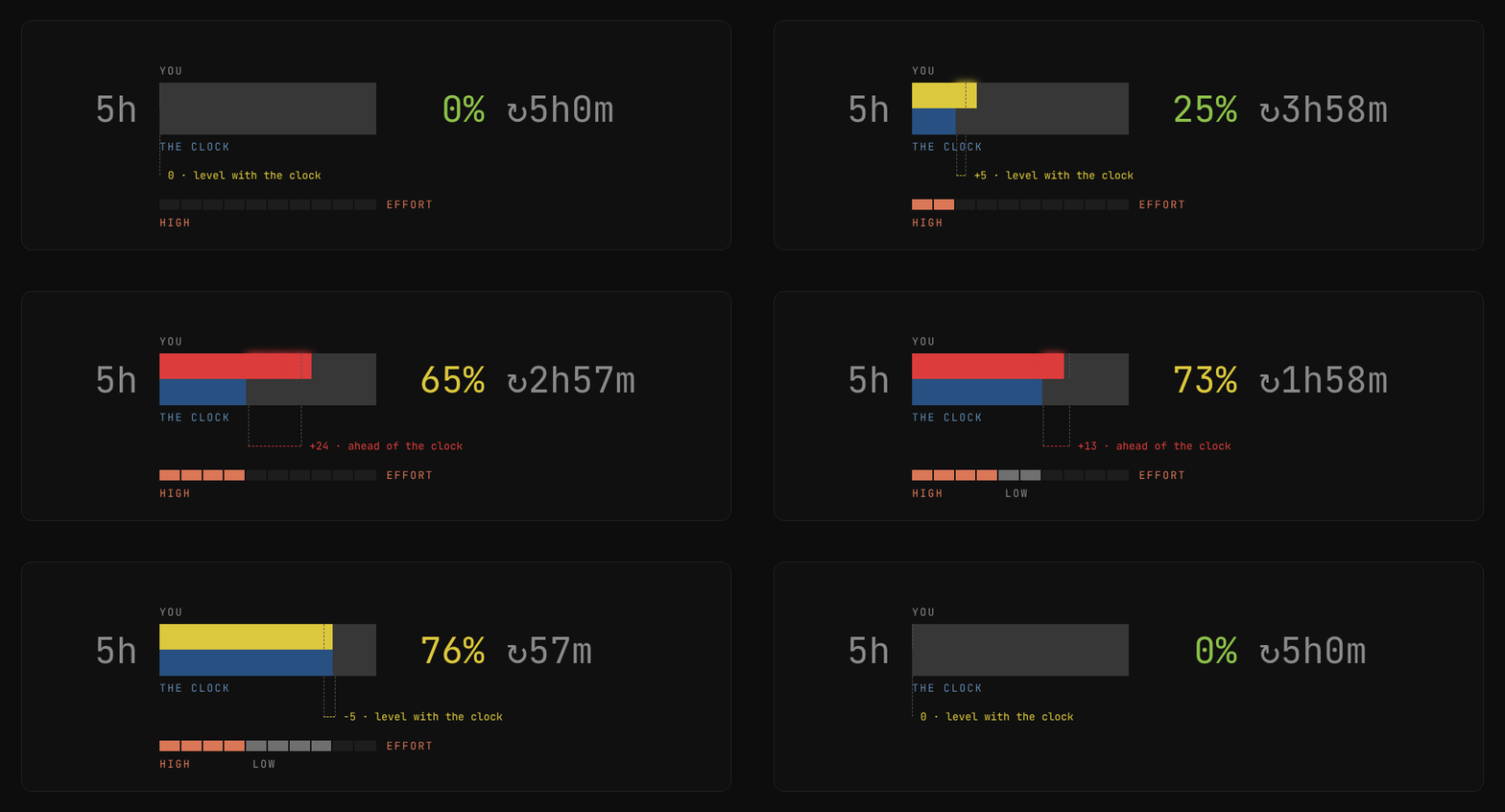
Usage against time
The top half of the bar shows usage. The bottom half shows elapsed time. When the bar turns red, lower the effort level.
The row under the bar shows the effort level for each tenth of the window.
Context window
The bar turns yellow at 25% and red at 50%. Start a new session at yellow. Answers get worse as the window fills.

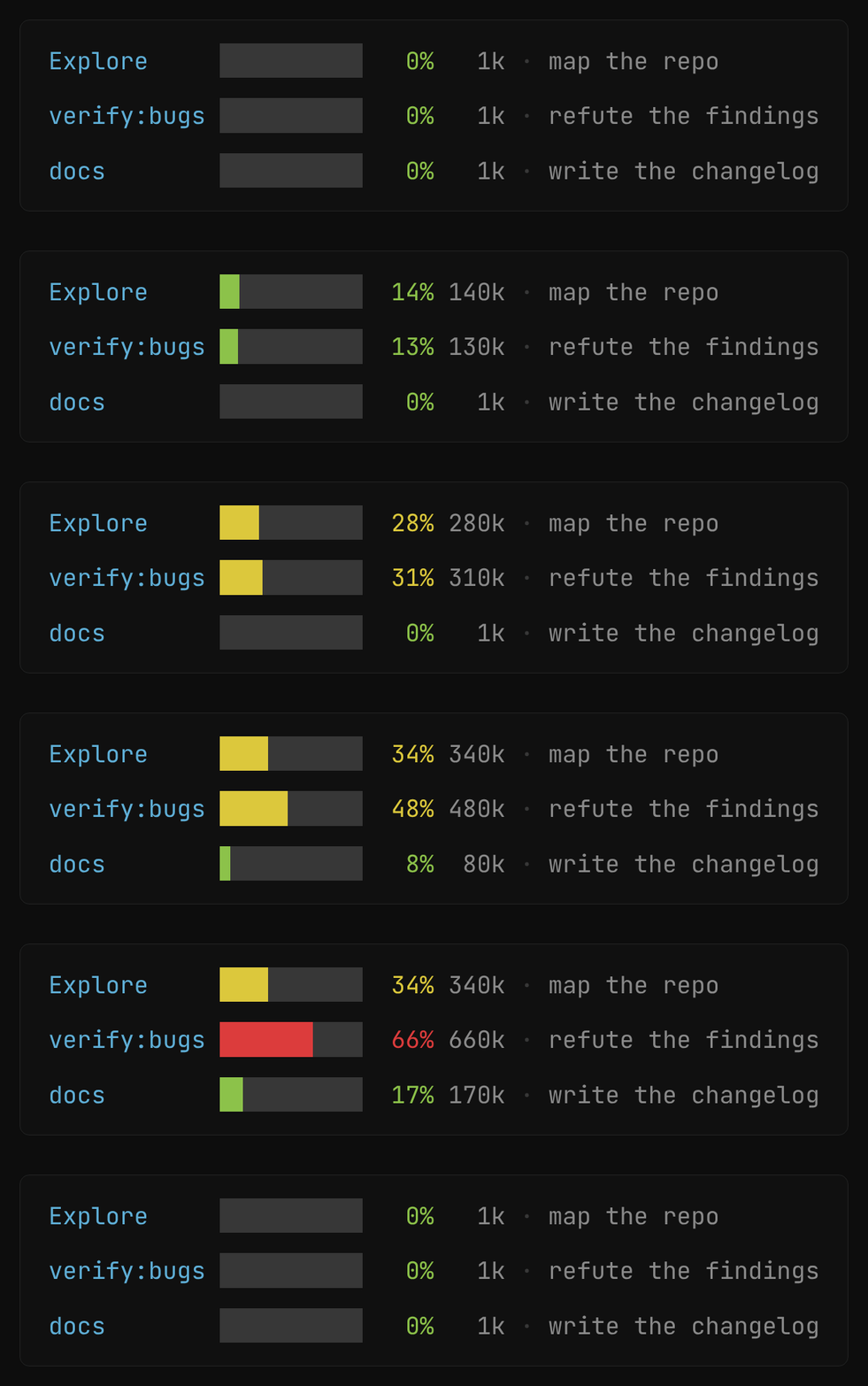
The agent panel
Each subagent shows its own context bar, model, and effort.
The Fable window
Fable has its own weekly quota. The limit is usually lower than for other models, so it gets a glance instead of a track: two columns, your usage beside the week’s clock, and the exact number in the percentage.

Repo and git state
The first row answers what you are working on and what you have done to it: the folder and the branch on the left, then how many files changed by kind and how many lines, pushed right so its edge lands where the second row ends. Long folder and branch names are cut to fit.

Context and limits
The second row is the instrument panel: how full the context window is, then the 5-hour limit and the 7-day and Fable windows.

Install or update
One prompt does both. Paste it into Claude Code the first time to install the statusline, and paste the same prompt again any time you want the latest version. Claude installs or replaces the scripts, updates the settings, and checks the result.
> Install or update the statusline from https://github.com/alp82/claude-statusline for me.
  Run: curl -fsSL https://alp82.github.io/claude-statusline/install.sh | bash
  Then check that bash, jq and curl are present, confirm ~/.claude/settings.json
  points statusLine at ~/.claude/statusline.sh and subagentStatusLine at
  ~/.claude/subagent-statusline.sh, and tell me what to do next.
$ curl -fsSL https://alp82.github.io/claude-statusline/install.sh | bash
statusline.sh and subagent-statusline.sh into
~/.claude/ and points settings.json at them, with a backup
of anything it replaces. Run it again whenever you want the latest version. --no-settings installs the scripts only.
--help lists all options.$ curl -fsSL https://raw.githubusercontent.com/alp82/claude-statusline/HEAD/statusline.sh \
-o ~/.claude/statusline.sh
$ curl -fsSL https://raw.githubusercontent.com/alp82/claude-statusline/HEAD/subagent-statusline.sh \
-o ~/.claude/subagent-statusline.sh
$ chmod +x ~/.claude/statusline.sh ~/.claude/subagent-statusline.sh
// ~/.claude/settings.json
{ "statusLine": { "type": "command",
    "command": "~/.claude/statusline.sh" },
  "subagentStatusLine": { "type": "command",
    "command": "~/.claude/subagent-statusline.sh" } }
--no-settings.Needs bash, jq and curl. Claude Code sends the data on stdin. The script fetches only the Fable number itself, in the background, at most every ten minutes.
The same prompt in reverse. It removes both scripts and their settings entries, and leaves a backup of each.
> Uninstall the statusline from https://github.com/alp82/claude-statusline for me.
  Run: curl -fsSL https://alp82.github.io/claude-statusline/install.sh | bash -s -- --uninstall
  Then confirm ~/.claude/statusline.sh and ~/.claude/subagent-statusline.sh are gone,
  confirm ~/.claude/settings.json has no statusLine or subagentStatusLine entry,
  and show me which .bak files it left behind.
$ curl -fsSL https://alp82.github.io/claude-statusline/install.sh | bash -s -- --uninstall
~/.claude/, the
statusLine and subagentStatusLine entries in
settings.json, and the cached usage numbers. It backs up the scripts
and settings.json as .bak first. It changes nothing
else, and it leaves an entry alone if it points at another statusline.
--no-settings removes the scripts only.The only other state is the cached Fable number under
~/.claude/cache/, and the uninstall removes it too. Delete the
.bak files when you no longer need them.